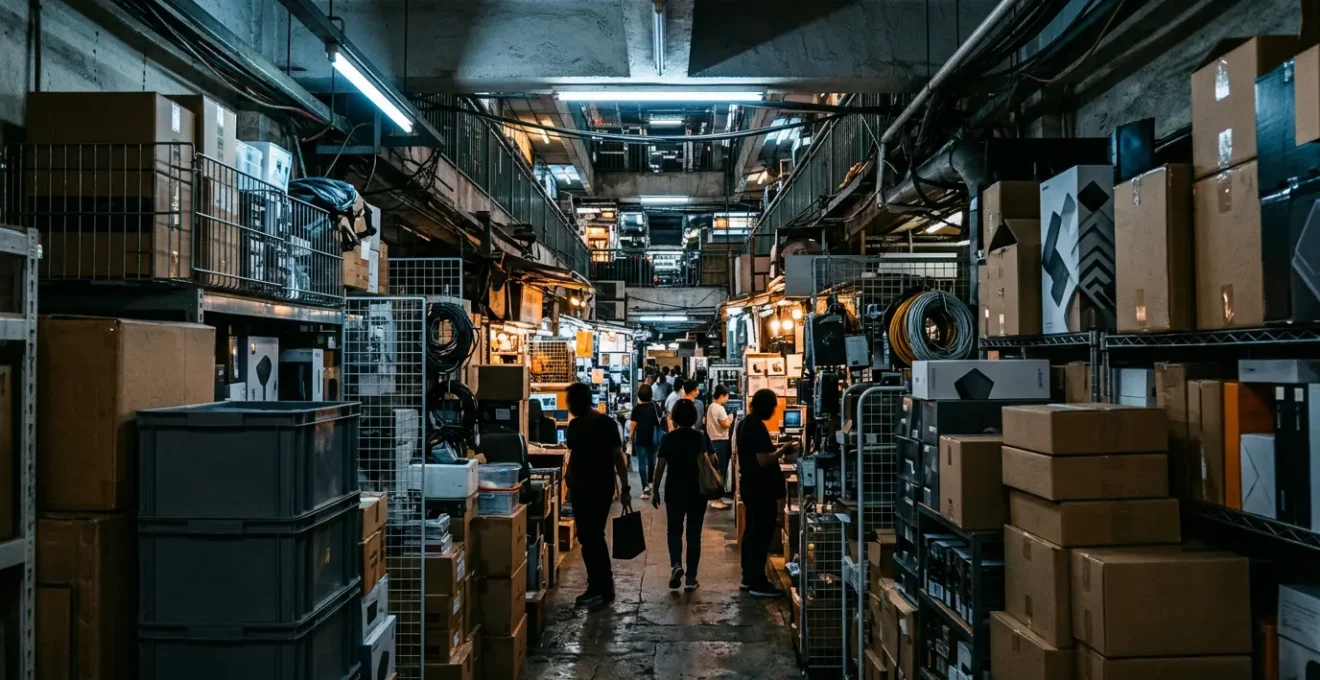
The real game in Hong Kong’s tech markets isn’t just price—it’s navigating the crucial difference between official ‘Hong’ stock and grey ‘Shui’ imports to get exactly what you need.
- Use Price.com.hk not just to compare prices, but to identify vendors and differentiate between official and grey market stock before you even leave your hotel.
- For high-value items, prioritize official stock with a manufacturer’s warranty you can register, even if it costs slightly more. For accessories and older parts, the grey market is your playground.
Recommendation: Prioritize testing everything on-site using your own gear (power bank, cables, memory cards), especially when buying second-hand or from shops with a “shop warranty only” policy.
The legends are true. For decades, Hong Kong has been whispered about in tech circles as a neon-drenched paradise, a place where you can find any gadget, any component, at prices that seem too good to be true. Every tech enthusiast dreams of walking through the crowded aisles of Wan Chai Computer Centre or the Golden Computer Arcade in Sham Shui Po, emerging with bags full of hardware treasure. We’re told it’s the ultimate destination for building a custom PC, snagging the latest camera, or finding that one obscure adapter you can’t get anywhere else.
But the reality in the 2020s is more complex. While the allure of tax-free shopping remains, the landscape has shifted. The game is no longer just about finding the cheapest price; it’s about understanding a nuanced and fast-paced tech ecosystem. The central conflict isn’t simply Wan Chai versus Golden, but a strategic choice between official stock (行貨) with international warranties and grey market imports (水貨) that offer tantalizing prices but come with significant risks. Simply showing up and asking for the “best price” is a rookie mistake that can lead to disappointment, faulty gear, or a warranty card that’s useless back home.
This guide isn’t about repeating the obvious. It’s about giving you the strategic framework to navigate these markets like a seasoned pro. We’ll decode the risks, show you how to hunt for rare components, and explain the critical tests you must perform before your money changes hands. Forget the tourist traps; it’s time to learn the real rules of the Hong Kong tech hunt.
To help you master this complex but rewarding environment, we’ve broken down the essential strategies and knowledge you’ll need. This guide covers everything from warranty risks to photography tips, ensuring you return home with the right gear, not a collection of expensive paperweights.
Summary: A Tech Geek’s Strategic Guide to Hong Kong’s Markets
- The Grey Market Risk: Will Your Camera Warranty Work Back Home?
- How to Find Obscure Cables and Adapters You Can’t Find on Amazon?
- Why You Must Test Used Electronics Before Leaving the Shop?
- How to Build a Custom PC in Sham Shui Po for Cheaper?
- Price Check: Are DJI Drones Actually Cheaper in Hong Kong?
- The Lens Mistake That Makes Buildings Look Distorted
- The Rooftop Risk: Why Trespassing for a Selfie Can Lead to Deportation?
- How to Shoot Sharp Night Skylines Without a Heavy Tripod?
The Grey Market Risk: Will Your Camera Warranty Work Back Home?
This is the single most important question you need to answer before buying any high-value electronic item in Hong Kong. The allure of a lower price often hides the reality of the “grey market.” These are products imported through unofficial channels to be sold at a discount. While not counterfeit, they lack the manufacturer’s official warranty for your region. With some estimates suggesting that over 30% of all mobile phones traded pass through the grey market, it’s a significant part of the ecosystem you must understand.
For a camera, this means if something goes wrong, you can’t just send it to your local Canon or Sony service center. You’re reliant on the “shop warranty,” which might only be valid for a few days and requires you to be physically in Hong Kong to claim it. The price difference might save you 15-20%, but it could cost you the entire device if a fault appears later. The key is to know what you’re buying. On local price comparison sites, look for the symbols: 行 (háng) for official, warrantied stock, and 水 (shuǐ) for grey-market water goods. When in doubt, ask the vendor directly: “Can I register this serial number on the official manufacturer website tonight?” A hesitant answer tells you everything you need to know.
How to Find Obscure Cables and Adapters You Can’t Find on Amazon?
This is where the physical markets of Hong Kong truly shine and demonstrate their superiority over online retailers. While Amazon’s algorithm might fail to find that specific mini-HDMI to 4-pin Molex adapter you need for a retro project, the cluttered stalls of Sham Shui Po’s Apliu Street and the upper floors of the Golden Computer Arcade are your real-world search engine. These places are living archives of technology, a product of decades of evolution.
The Golden Computer Centre, for instance, wasn’t always a tech haven. In the 1980s, it was a hub for merchants selling counterfeit Apple II computers and pirated software, which gradually evolved into the legitimate (mostly) and sprawling tech marketplace it is today. This history is baked into its DNA. The vendors here aren’t just salespeople; many are hoarders, repairers, and scavengers. They have boxes filled with components from dissected laptops, decades-old audio connectors, and every conceivable type of ribbon cable. The strategy here isn’t to search, but to ask. Bring the old part, or a clear photo of the port you’re trying to connect to. In these chaotic, wonderful mazes, human expertise and a shared passion for hardware will succeed where digital searches fail.
The true value lies in the tactile experience—rummaging through trays of connectors, resistors, and circuit board components. It’s a treasure hunt where the prize is the exact piece of obsolete or obscure tech that completes your project, a feeling that no “Add to Cart” button can replicate.
Why You Must Test Used Electronics Before Leaving the Shop?
Hong Kong’s status as a free port with no sales tax is a huge draw, but it also fosters a “buyer beware” culture, especially in the second-hand and repair markets. The stories of things going wrong are plentiful and serve as a critical lesson. One moment of haste can lead to major regret, as one visitor discovered with a botched phone repair.
Paid $700+ for them to replace my iPhone screen and whatever they used killed my iPhone (battery super hot, glitching screen). Went back the day after and they took off the screen and aimed a blow dryer at it, declaring it fixed. Went home and my iPhone died completely.
– Wanderlog User, on an experience in Wan Chai Computer Centre
This cautionary tale highlights the absolute necessity of in-store testing. A “shop warranty” is often a polite fiction. Once you walk out the door, you have very little recourse. The responsibility is on you to be your own quality control. This means coming prepared. Don’t rely on the shop’s power supply or accessories. Bring your own power bank, your own SIM card, a USB stick, and the cables you plan to use with the device. For cameras, bring a memory card and a lens, and use your phone’s flashlight to check for fungus inside the lens or on the sensor. Connect to the mall’s public Wi-Fi to run the serial number through the manufacturer’s database. Assume nothing works until you’ve proven it does.
Your Pre-Purchase Testing Checklist
- Serial Number Match: Physically verify that the serial number on the product, the box, and the warranty card (if any) are identical.
- Port Functionality: Test every single port. Plug in a USB drive, your headphones, a power cable. Make sure they all connect and function correctly.
- Camera Vitals: For cameras, use a phone flashlight to inspect the lens for fungus or haze. Test autofocus by focusing on something near and something far. Take a picture of a white wall to check for sensor dust.
- Online Verification: Connect to the mall’s Wi-Fi and attempt to register the serial number on the manufacturer’s official website. A failure to do so is a major red flag for grey market or fake goods.
- Power Independence: Use your own power bank to turn the device on and test charging. This isolates it from any potentially faulty shop power supplies.
How to Build a Custom PC in Sham Shui Po for Cheaper?
For PC builders, Sham Shui Po’s Golden Computer Arcade is legendary. This is the heartland of custom rigs in Hong Kong. However, the idea that you can just show up and get parts dramatically cheaper than online retailers back home is an outdated myth. The real advantage lies in availability and the strategic use of the grey market. You can find cases, power supplies, and motherboards that are simply not sold in your region, and the price difference is a trade-off against warranty.
As one experienced forum member on GeoExpat notes, some of the best deals come from vendors who are essentially just logistics operations:
some of those price.com.hk vendors are very low overhead box shifters operating out of tiny little offices high up in random buildings in the middle of nowhere. You message them to arrange stock to be brought in, and the next day you turn up and collect. But you do end up with properly warrantied product that you can register on the manufacturer sites.
– GeoExpat Forum Member, Hong Kong Forums Discussion
This highlights the modern strategy: use Price.com.hk to identify the best price for official stock (行货), contact the vendor, and arrange a pickup. For less critical components like cases, fans, or custom cables, you can dive into the main market and hunt for bargains. The key is understanding the risk profile of each component. A faulty case fan is an inconvenience; a faulty grey-market motherboard is a disaster.
This comparative table breaks down the fundamental choice you’ll be making with every component.
| Category | Official Stock (行货) | Grey Import (水货) |
|---|---|---|
| Price Level | 10-30% higher | Lowest available |
| Warranty | Manufacturer warranty valid | Shop warranty only (7 days typical) |
| Registration | Can register on manufacturer site | Cannot register officially |
| Support | Full manufacturer support | Limited to shop support |
| Risk Level | Low | Medium to High |
Price Check: Are DJI Drones Actually Cheaper in Hong Kong?
This is a common question, and the answer is, for the most part, no. For major international brands like DJI, Apple, or Sony, the era of massive regional price differences is largely over. Thanks to globalized supply chains and pricing strategies, you’ll find that for most mainstream electronics, prices are universal within a 10% margin. The price you see in the official DJI store in Hong Kong will be almost identical to the price on their website in the US or Europe, once you account for currency conversion.
So, where does the perception of “cheap” come from? It comes from the two-tiered system visible on platforms like Price.com.hk. The website brilliantly makes this distinction clear. You’ll see a price range for licensed, official goods, and a lower price range for grey market goods. A tourist just walking into a random shop might be shown the grey market price, leading them to believe they’ve found an incredible bargain. In reality, they are simply buying a product without a valid international warranty. While this might be a worthwhile gamble for a cheap accessory, it’s a huge risk for a complex piece of equipment like a drone. The real value of buying a drone in Hong Kong isn’t a lower price, but potentially immediate availability of a new model that might be sold out back home.
The Lens Mistake That Makes Buildings Look Distorted
After you’ve successfully acquired your new camera gear, you’ll be eager to hit the streets and shoot Hong Kong’s incredible architecture. This is where many photographers make a classic mistake that results in buildings looking like they’re falling over backward. This effect, known as keystoning or perspective distortion, happens when you tilt the camera upward to fit a tall building into the frame. When the camera’s sensor is not parallel to the face of the building, vertical lines converge, creating an unnatural and often undesirable look.
The solution is simple in theory, but requires discipline in practice: keep your camera perfectly level. This means your sensor should be perpendicular to the ground. Instead of tilting up, step back further from the building or use a wider lens. If you’re shooting from a lower position, get as low as you can and shoot straight on, even if it means including more foreground than you’d like. You can always crop the image later in post-production. Professional architectural photographers use expensive tilt-shift lenses to correct this in-camera, but you can achieve a similar, albeit less perfect, result using the perspective correction tools in software like Adobe Lightroom or Photoshop. The key is to capture the initial image with the vertical lines as straight as possible.
Mastering this technique is about training your eye to see the geometry of the shot before you press the shutter. Pay attention to the vertical lines at the edge of your frame—if they are bowing inwards, your camera isn’t level.
The Rooftop Risk: Why Trespassing for a Selfie Can Lead to Deportation?
The “rooftopping” trend, where photographers and influencers sneak onto the roofs of skyscrapers for dramatic city-scape selfies, is particularly tempting in a vertical city like Hong Kong. The images can be breathtaking, but the risks are severe and often underestimated by visitors. It’s crucial to understand that nearly every accessible-looking rooftop is private property. Gaining access by following a resident, forcing a door, or climbing a fence is not a cheeky adventure; it’s criminal trespassing.
For a tourist or visitor, the consequences go far beyond a simple slap on the wrist. While a local might face a fine or community service, a foreigner caught trespassing can face a much harsher reality. At a minimum, you’re looking at arrest, a potential court case, and a significant fine. More seriously, this can lead to the cancellation of your visa and immediate deportation. A criminal record in Hong Kong could also make it extremely difficult to travel to or obtain visas for other countries in the future. The building management and police take this very seriously, not just because of the legal implications, but due to the immense liability and safety risks. That perfect Instagram shot is not worth jeopardizing your entire trip and your future travel prospects. Stick to official observation decks like the Sky100 or the Peak for your skyline photos.
Key takeaways
- Decode the Market: The most crucial skill is distinguishing between official stock (“行貨”) for warranty and grey market imports (“水貨”) for price. Your choice depends on the item’s value and your risk tolerance.
- Price.com.hk is Your Bible: Use this price comparison website not just to check prices, but to identify vendors, see stock levels, and understand the price difference between official and grey market goods before you even set foot in a store.
- Test, Test, Test: Never leave a shop without thoroughly testing your purchase. Bring your own power bank, cables, and memory cards. The responsibility for quality control is on you, as “shop warranties” are often meaningless once you’ve left.
How to Shoot Sharp Night Skylines Without a Heavy Tripod?
You’ve got your gear, you’ve respected the law, and now you’re at a scenic viewpoint like the Tsim Sha Tsui promenade as dusk falls. You want to capture that iconic, razor-sharp photo of the Hong Kong skyline, but you didn’t want to lug a heavy tripod around all day. Don’t worry, you can still get great results with a few stability-focused techniques.
The enemy of sharp night shots is camera shake during a long exposure. Your mission is to eliminate it. First, find a stable, flat surface. A wide ledge, a concrete barrier, or even a trash can will do. Don’t just place your camera on it; place it on something soft like a folded-up jacket or a camera bag to help dampen vibrations. If you have nothing, just the flat surface is your best bet. Next, disable your lens’s image stabilization if it’s on a solid surface, as it can sometimes introduce its own micro-movements. Switch your camera to manual mode or aperture priority. Set a low ISO (100 or 200) for maximum quality and a medium aperture (f/8 to f/11) for sharpness. The camera will automatically select a slow shutter speed.
The final and most crucial step is to trigger the shutter without touching the camera. Use your camera’s 2-second or 10-second self-timer. Press the shutter button and take your hands away. The camera will wait a few seconds for any vibrations from your touch to die down before it takes the shot. This simple trick is the single most effective way to get sharp photos without a tripod. For an extra layer of security, set your camera to burst mode. This way, the camera will take several shots, and you can later pick the sharpest one from the bunch.
Frequently Asked Questions about Hong Kong’s Tech Markets
What are the operating hours for tech markets in Hong Kong?
Most shops open from 11am onwards so don’t go too early in the morning. They tend to stay open late, often until 9 or 10 PM, but it’s always best to aim for mid-afternoon to early evening.
Should I bring cash or card when shopping at computer centers?
Bring cash. While many shops do accept credit cards, they almost always charge a small percentage (typically 2-3%) for the transaction. For the best price, cash is king.
How can I verify product prices before visiting the shops?
Your best tool is the website www.price.com.hk. It’s an essential part of the shopping process. Search for the exact model you want, and it will list various merchants across different malls and their current prices, often distinguishing between official and grey market stock.